Make it yours
Misha exists to give you back the time routine Slack work takes: the questions only you can answer, the small fixes, the lookups. You decide what it takes on and how. It's your automation, built from the tools you already use, and you can switch any of it off.
Your clone runs on your own Claude Code or OpenCode, and its workers are ordinary sessions of them on your Mac. So the skills, commands and tools you've set up there are the ones your workers can use. Tell Misha about them the way you'd tell a colleague: name a skill or a /command in a request or in your Routines, and the worker is told to load it, and to say so if it can't find it. Your user-level skills and commands are always there. A repository's own skills and commands reach a worker only when they are committed on the default branch of its remote, because workers work in a fresh worktree of it.
Everything below is in Misha's window, on Settings and Extensions. Each category on Settings opens with Open, and All settings takes you back.
What it listens to
By default your clone answers only DMs to you, mentions of you and threads you're in. Settings › How I take work › Channels I watch adds channels it reads in full: it reads every message there and answers what asks something of you or your work.
Settings › Who I ignore keeps it away from people. Soft-ignore someone and the clone answers them only when they call it with its emoji; Ignore them and it never answers them. Watching and ignoring count for new messages as soon as you save.
There is no switch that keeps the clone out of a whole channel: a mention of you reaches it wherever it is. In a channel shared with a client, Ignore or Soft-ignore the client's people, send :misha: hands off in a thread to keep the clone out of that thread for 14 days (Hands off), and keep Before anything goes out on so nothing goes out without your OK.
Who may ask it for work
Anyone the clone answers gets answers from what it can read: the thread, messages it links to, your linked folders and the services you added. Starting work (research, a ticket, a change and its review) is yours alone until you add people on Settings › How I take work › Who may ask me for work: find them with Find someone in Slack and click Allow, or send allow @name in your self-DM. When anyone else asks for work, the clone answers what it can and passes the rest to you. People you allow can start workers, but they don't get your direct changes in Jira, Google and the other services, and nothing they write widens what their workers may do.
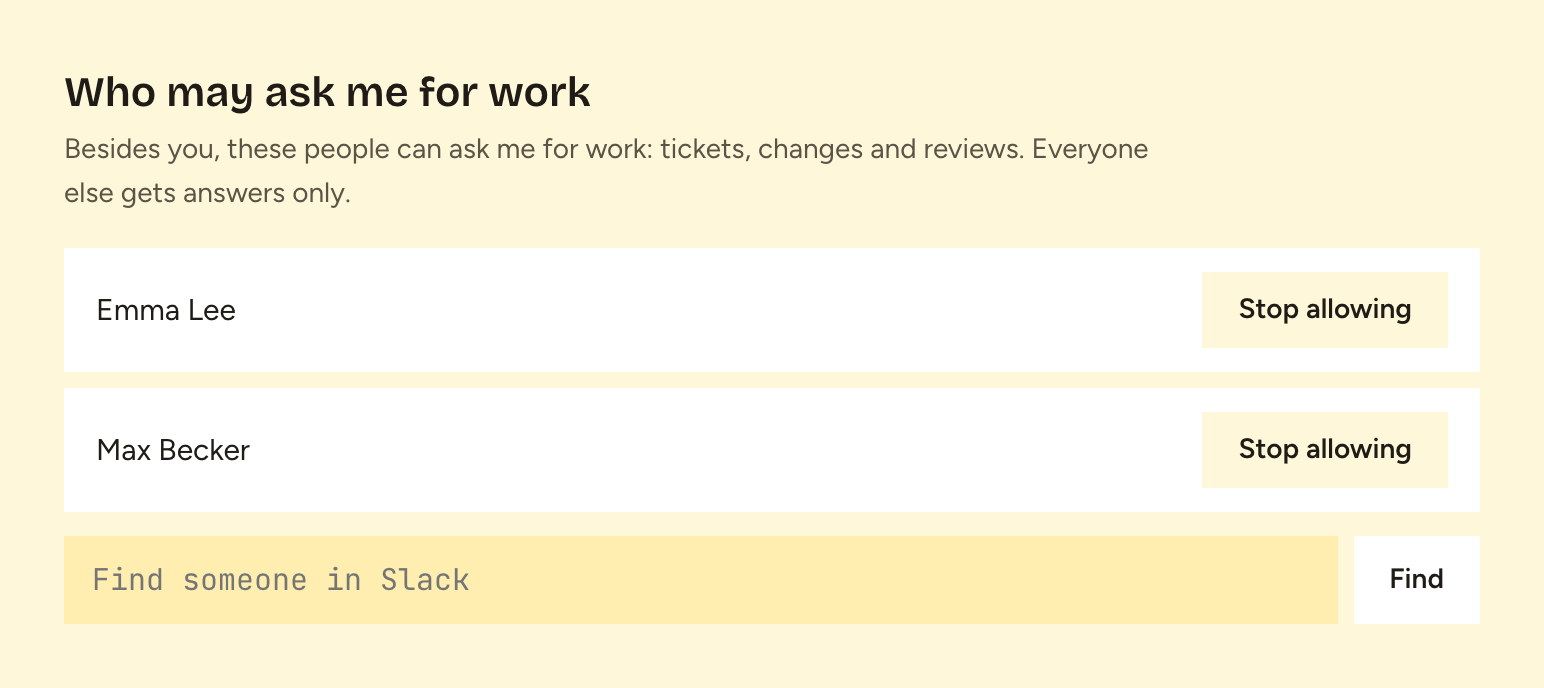
Stop allowing counts from the clone's next turn and doesn't stop workers already running. When colleagues ask what's answering them, send them Talking with a clone.
Repositories
If your clone should read code, link each repository on Settings › Repositories. Click Choose folder… and pick the repository's top-level folder. Misha reads its git remotes and fills in the remote its pull requests go to:
- One remote: it's filled in.
- Several: Pick its remote lists them, with the current branch's remote picked.
- None: the field stays empty and the card says "It has no remote, so none."
- A remote Misha can't read as
host/owner/name: "The remote origin isn't host/owner/name. Write it yourself." - Not a repository: "That folder isn't a git repository."
Then click Add. You can also type the full path and the remote yourself.
The clone reads a linked folder as it is, uncommitted and ignored files included, so link only folders you're willing to have it read. It writes nothing there: workers get git worktrees of their own outside it.
For a folder with a remote, May merge starts off, so pull requests stay open for someone to merge. Turn it on to let workers merge in that remote; your request and Routines decide when. It's an instruction to the clone, not a lock.
Routines
Settings › How I take work › Routines is how you automate your own way of working: up to 2000 characters of standing instructions, one per line, when something happens, what to do, then whether to tell you or ask you. Name your skills and /commands here and workers follow them.
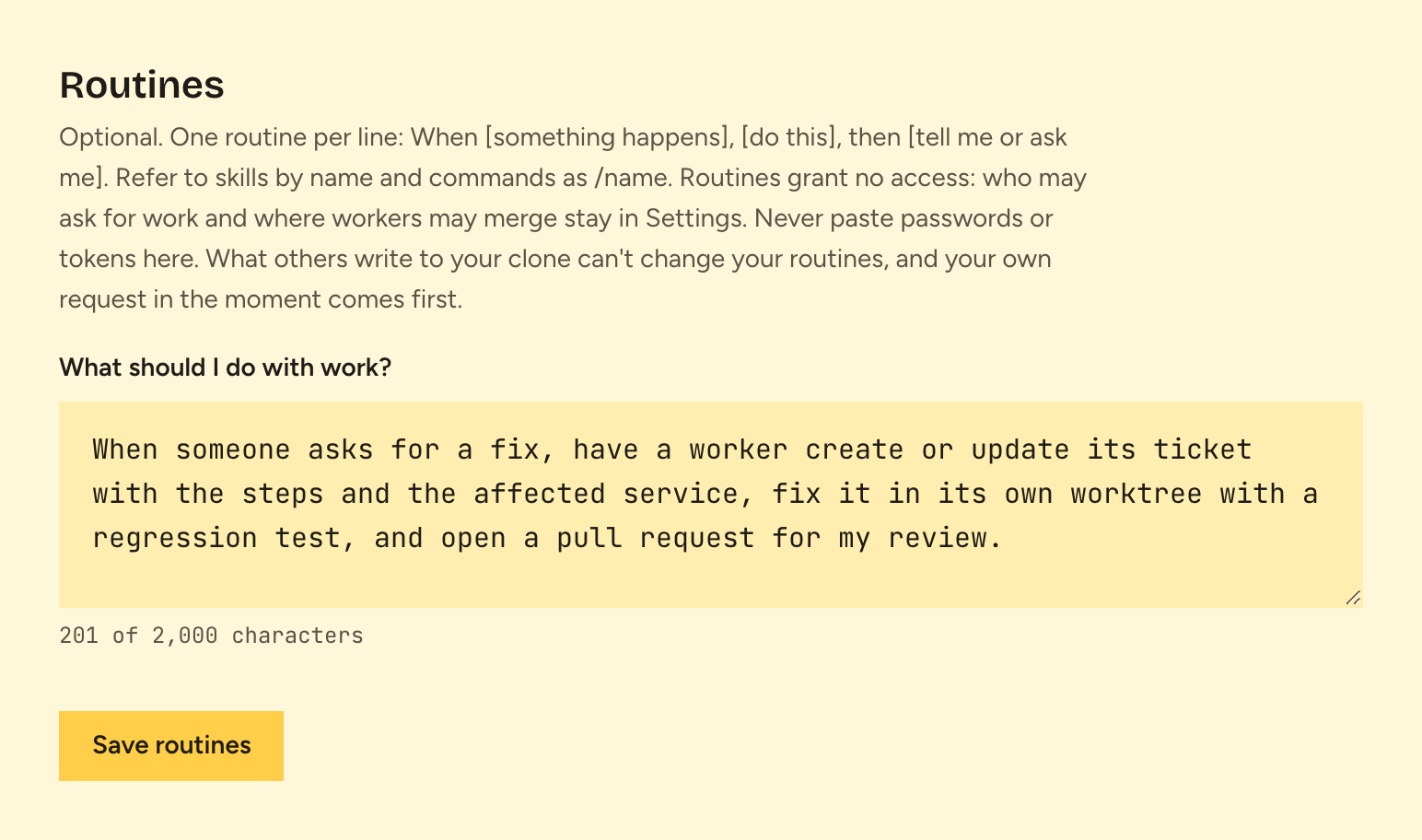
Your own request in the moment comes first, then your Routines. Routines grant no access, a colleague's message can't change them, and they shouldn't hold passwords or tokens. Leave the field empty and the clone works its usual way. In your self-DM, set routines <text> replaces them whole.
Routines cover work anyone allowed asks for, not only yours. They react to messages: Misha runs nothing on a timer, so "every Friday" means you ask on Friday.
Settings › What I remember holds notes the clone keeps in mind, in your exact words: up to 200, of 1000 characters each. Add one with Remember, or write remember and the note in your self-DM. A good first note is one a colleague would otherwise ask you, such as "Emma owns payments. Ask Emma before touching the checkout."
Tools and services
Slack and GitHub are built in. To let the clone and its workers use Jira, Google, AWS, Figma or Fireflies, open Extensions, click Open the catalogue and Add the service. It then shows under Added by you on Extensions, with its sign-in button until it works. Add GPT there too if you want workers to use OpenAI's models through your OpenCode. A Claude Code or OpenCode session already open sees a change only after you restart it.
When it asks for your OK
Settings › Require my approval has two switches, and a new clone has both on:
- Before I start work: when anyone's message would start work, Home shows you the work first and waits for your OK. Workers it starts after that don't ask again.
- Before anything goes out: replies, reactions, files, edits, new DMs and the clone's notes to you wait for your OK.
What waits shows on Home under Waiting for your OK, with the exact words that would go out. Approve lets it go and Decline drops it. On something the clone wrote, such as a reply, Ask for changes sends it your note to write it again. The menu bar shows "Waiting for your OK" with a count.
Turn a switch off once you trust how the clone works. Turning one off pre-approves new actions only; anything already waiting still needs your decision.
Pause
Pause Misha is in the window's sidebar, on Settings › What I think with and in the menu bar's Misha menu, and pause works in your self-DM. Pausing stops the clone and the workers it started. Messages that reach it while paused aren't kept for later; requests it had already queued continue when you Resume. Your own Claude Code and OpenCode sessions keep working. Pause Misha has the details.
What it runs on
Settings › What I think with chooses whether the clone runs on Claude Code or OpenCode, and its model and effort. A new clone runs on Claude Code at its default model. Switching runtime starts a new conversation with the same settings and notes; changing only the model counts from the next message.
Personality and look
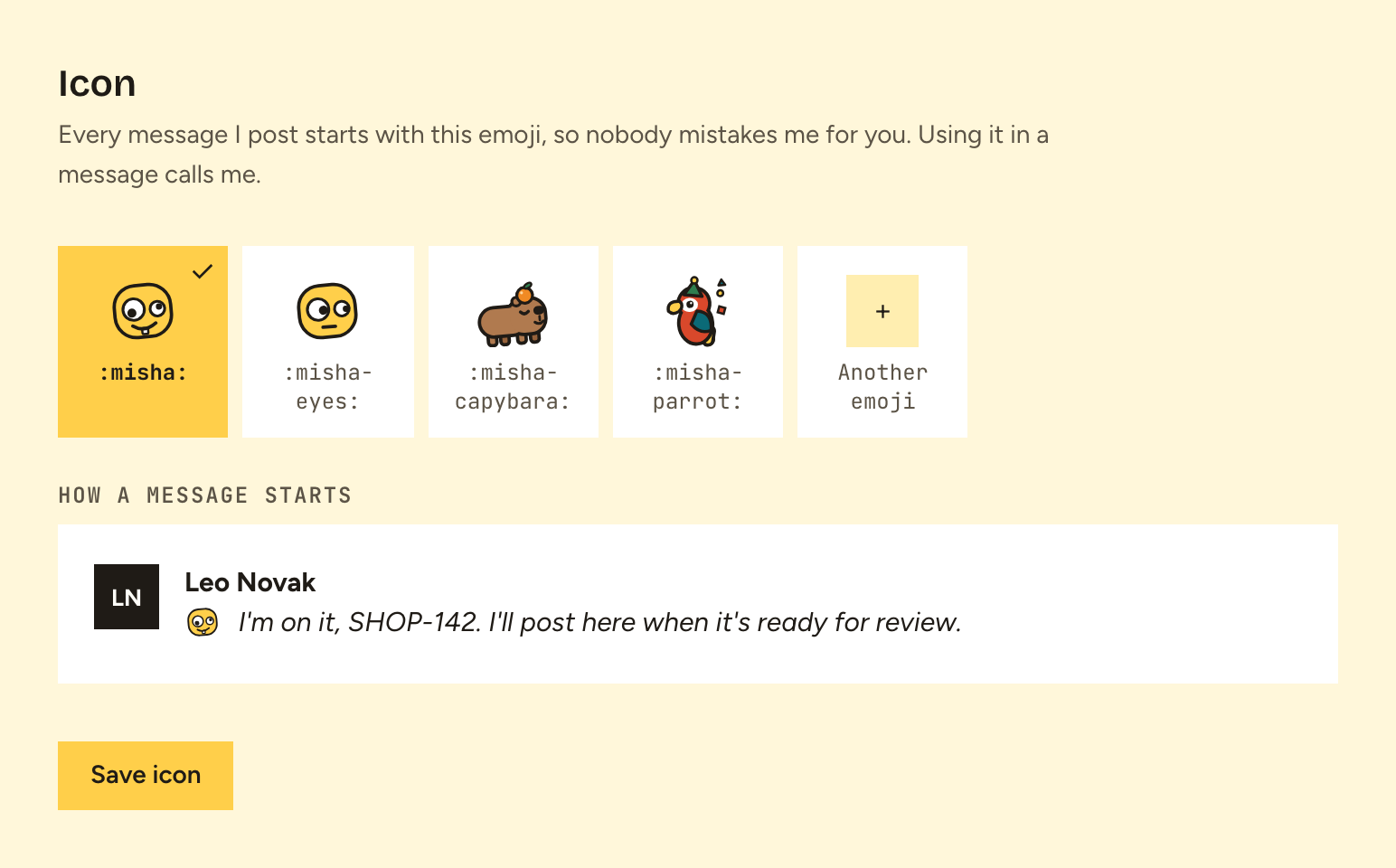
By default, your clone's posts start with its emoji and are set in italics, so people can tell them from what you type; stealth mode drops the marker. Settings › How I look and sound › Icon chooses the emoji, with a preview of how a post starts. Your emoji in any message you write also calls the clone.
Personality, in the same category, is how the clone should sound, in your own words, up to 2000 characters. It shapes tone, language and formatting, not what the clone may do. For example:
Reply in English, in two or three sentences. Link the ticket or file you read. Keep the humour to a minimum.
Next, put Misha to work with one real request.